Choose a screen recording when the viewer needs to see the actual interface and repeat a workflow. Choose animation when the task is to explain an idea, relationship or product value that the interface alone cannot show. A hybrid can connect those two needs.
What a screen recording does well
A recording shows the real product: where controls are, what a user does and what appears next. It is useful for walkthroughs, onboarding and detailed evaluation. The recording still needs planning, readable framing, clear narration or captions and a sensible sequence.
Prepare a clean demonstration environment and check for personal or confidential data. Decide which interface version is being documented. If the UI changes frequently, identify who will maintain the recording after publication.
What animation adds
Animation can show events outside a single screen: connected systems, a before-and-after situation, an abstract data flow or the human problem behind the product. It allows the film to control emphasis and use illustration, characters or typography to build a coherent explanation.
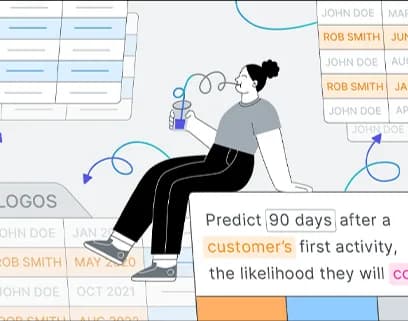
IGEO.AI uses abstract shapes to introduce AI visibility. Devocean uses illustrative motion to connect a cybersecurity narrative. PecanAI uses characters and mixed animation techniques. These projects illustrate conceptual storytelling rather than step-by-step software tutorials.
When a hybrid makes sense
A film can begin with the problem in animation, move into real product screens and return to a clear next step. Keep the transition honest: distinguish actual interface behavior from illustrative concepts. Include accurate UI source material and product review in the scope.
| Viewer’s question | Useful starting point | What to check |
|---|---|---|
| Where do I click? | Screen recording | Current UI, readable detail and complete steps. |
| Why does this product matter? | Animated explanation | Audience, message and approved claims. |
| How do the parts connect? | Animation or a hybrid | Accurate relationships and technical review. |
| What does the workflow look like in practice? | Recording or a hybrid | A realistic scenario and a prepared demo environment. |
Compare production and maintenance needs
A simple recording and a carefully produced tutorial are not the same scope. Likewise, animation can range from a restrained graphic explanation to a detailed character film. Compare writing, artwork, interface preparation, audio, edits and versions rather than assuming either category is always faster or cheaper.
Discuss future changes before production. A stable conceptual message may stay useful while screenshots need updating. Source-file delivery and future editing responsibilities should be agreed, not assumed.
Start with the audience’s question
Write down what viewers should understand or be able to do after watching. Then decide how much real interface detail that requires. Explore explainer production, read the briefing checklist, or discuss the options with Studio Poink.